Trading Made Easy.
Trade Smarter, Not Harder.
Sygnal Is Designed To Keep Trading Clear, Confident, And Structured — Optimized For ES & NQ Futures.
Sygnal Suite
Learn about the suiteOne visual system for trend, momentum, range, and execution. Find the market state, confirm momentum, map levels, then execute only when the setup is clean.
The Strategy
Clear sygnals
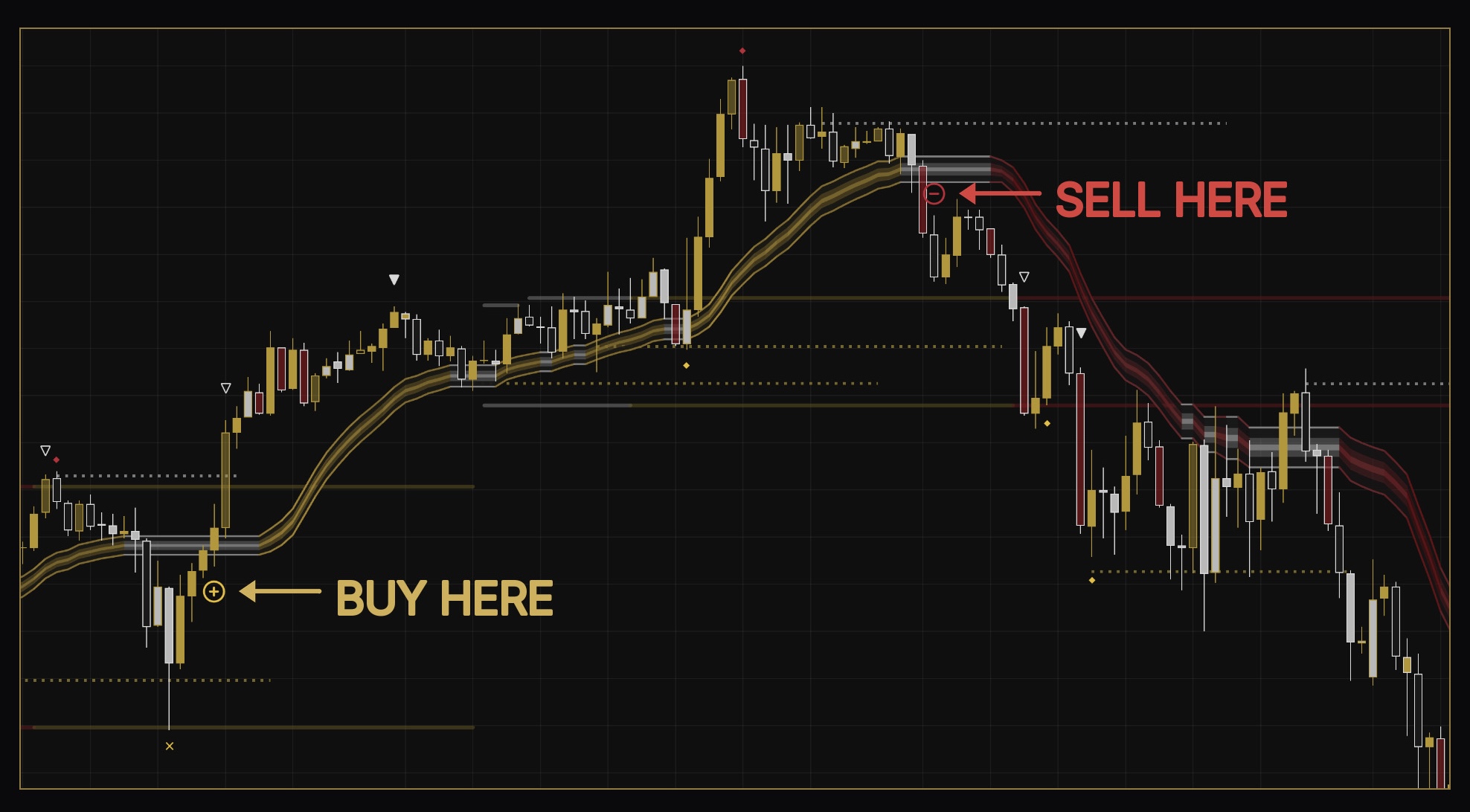
Visual buy/sell markers, invalidations, and take-profit zones reduce hesitation during active trading sessions.
Confluence over guesswork
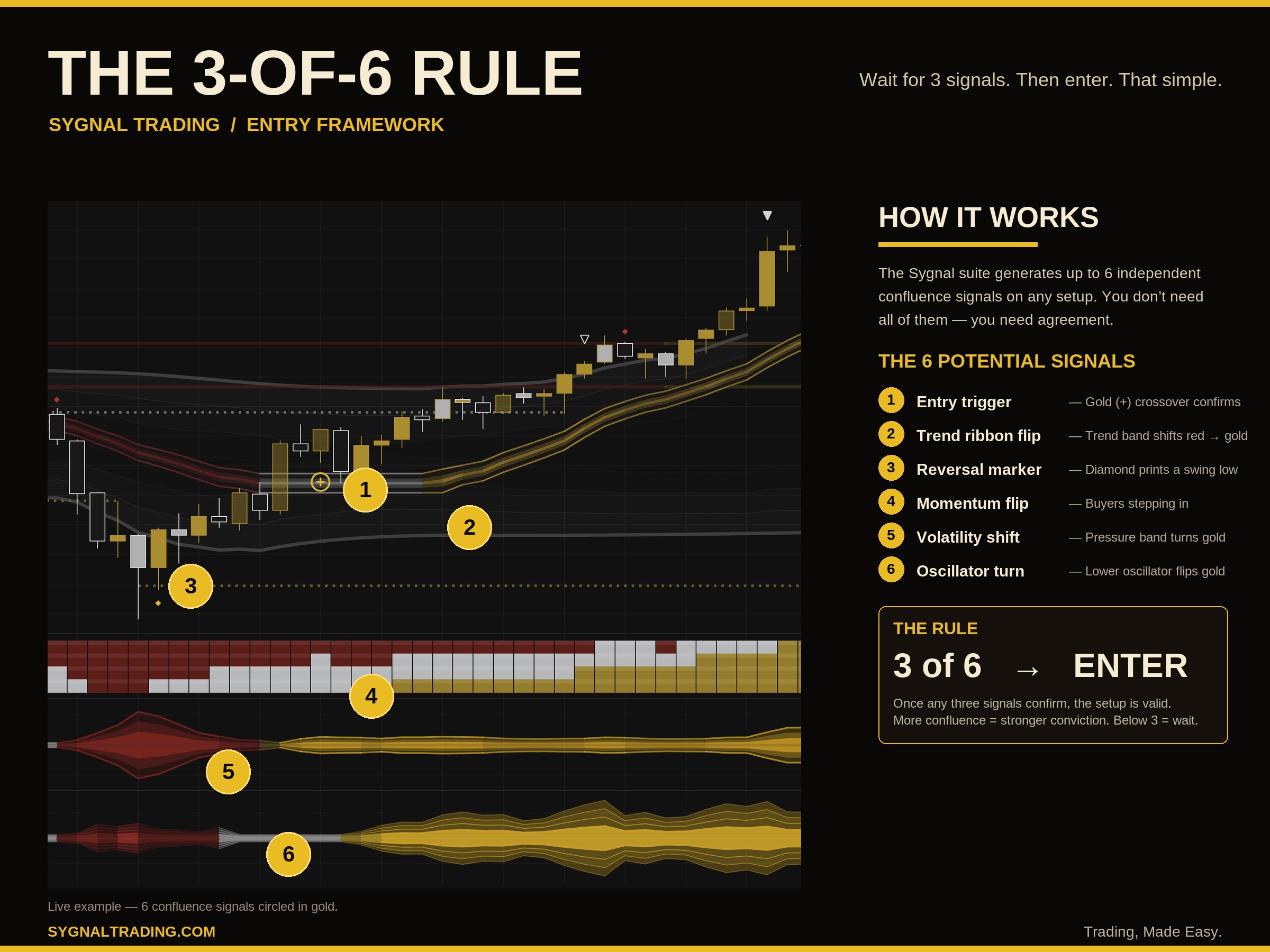
The 3-of-6 rule waits for multiple indicators to align before triggering — no more forcing trades on a single sygnal.
One unified system
Ten indicators built to work together — trend, momentum, range, levels, and execution all speak the same visual language.
Indicators
Sygnal Command
Clear buy sygnals, entry zones, invalidation markers, stop-loss levels, and take-profit targets for trading execution.
Sygnal Spectrum
Bar-by-bar pressure read — gold for bullish momentum, red for bearish, white for neutral. Instant read on who's in control.
Sygnal Range
Momentum expansion gauge that visualizes when the market is chopping flat versus when buyers or sellers are driving the move.
Sygnal Flux
Directional pressure visualized as a flowing wave beneath price — grey for neutral, red for bearish, gold for bullish control.
Sygnal Zone
Gold for bullish pressure, maroon for bearish pressure, grey for neutral chop — market state at a glance.
Sygnal Hounds
Momentum and strength oscillator built to confirm directional bias and catch early shifts in market pressure.
Sygnal Codes
A candle classification engine designed to identify bullish, bearish, exhaustion, and high-conviction momentum candles.
Sygnal Levels
Automatic support and resistance mapping that plots key reaction zones across multiple timeframes.
Sygnal Shells
Dynamic envelope bands that frame price action, highlighting expansion, compression, and mean-reversion opportunities.
Sygnal Defense
Adaptive support and resistance bands marking the last lines of defense before a breakout or breakdown is confirmed.
Access Flow
Built for private Discord access.
Members receive access instructions, setup guidance, and TradingView invite-only permissions after submitting their TradingView username.
- 1Join the private Sygnal Discord
- 2Submit your TradingView username
- 3Receive invite-only indicator access
- 4Use the suite with setup guides, examples, and trade education

Get private access to the Sygnal Suite.
Join the Discord, submit your TradingView username, and receive access to the invite-only indicators after approval.